# [CyberDefender] RedStealer
Table of Contents
In this writeup, I’m gonna explain the steps to solve the RedStealer challenge from CyberDefenders. You can access it here: CyberDefenders RedStealer. This challenge is about analyzing a malicious executable by investigating its hash on threat intelligence platforms.
Challenge Scenario
You are part of the Threat Intelligence team in the SOC (Security Operations Center). An executable file has been discovered on a colleague’s computer, and it’s suspected to be linked to a Command and Control (C2) server, indicating a potential malware infection. Your task is to investigate this executable by analyzing its hash. The goal is to gather and analyze data beneficial to other SOC members, including the Incident Response team, to respond to this suspicious behavior efficiently.
Initial Analysis
In this challenge, we’re given a ZIP file containing text files with a SHA-256 hash:
248FCC901AFF4E4B4C48C91E4D78A939BF681C9A1BC24ADDC3551B32768F907B. We need to use this hash on platforms like VirusTotal, Hybrid Analysis, or MalwareBazaar to complete the analysis.
Challenge
1. Categorizing malware enables a quicker and clearer understanding of its unique behaviors and attack vectors. What category has Microsoft identified for that malware in VirusTotal?
By searching the SHA-256 hash on VirusTotal, I got the malware category from the popular threat label section. It is identified as a “trojan”.

trojan
2. Clearly identifying the name of the malware file improves communication among the SOC team. What is the file name associated with this malware?
Checking the Details page on VirusTotal, I found several file names. The name “Wextract” is the one that fits.
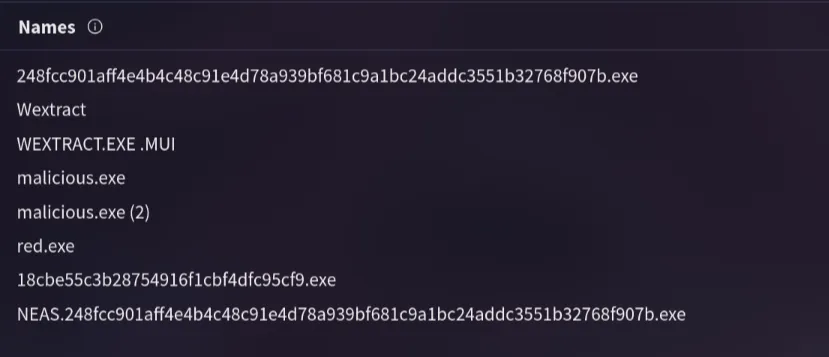
Wextract
3. Knowing the exact timestamp of when the malware was first observed can help prioritize response actions. What is the UTC timestamp of the malware’s first submission to VirusTotal?
On the Details page, I found the timestamp of the first submission report for the malware.

2023-10-06 04:41
4. Understanding the techniques used by malware helps in strategic security planning. What is the MITRE ATT&CK technique ID for the malware’s data collection from the system before exfiltration?
By checking the Behavior page, I searched for the collection technique and found the ID for it.

T1005
5. Following execution, which social media-related domain names did the malware resolve via DNS queries?
On the Behavior page, looking at the HTTP requests section, I found several URLs. “www.facebook.com” is the only one related to social media.
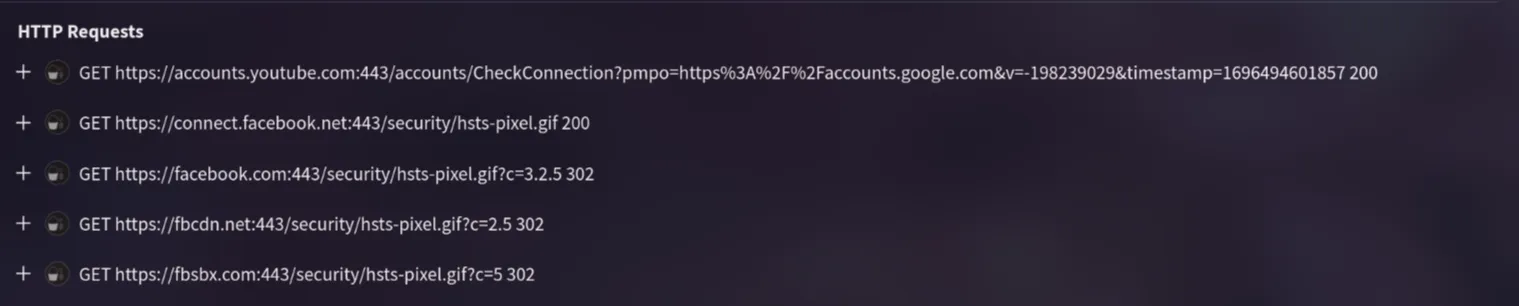
www.facebook.com
6. Once the malicious IP addresses are identified, network security devices such as firewalls can be configured to block traffic. Can you provide the IP address and destination port the malware communicates with?
Checking the Behavior page again, I looked into the memory pattern URLs section and found several IP addresses and ports. The first one looked suspicious because it has no DNS.
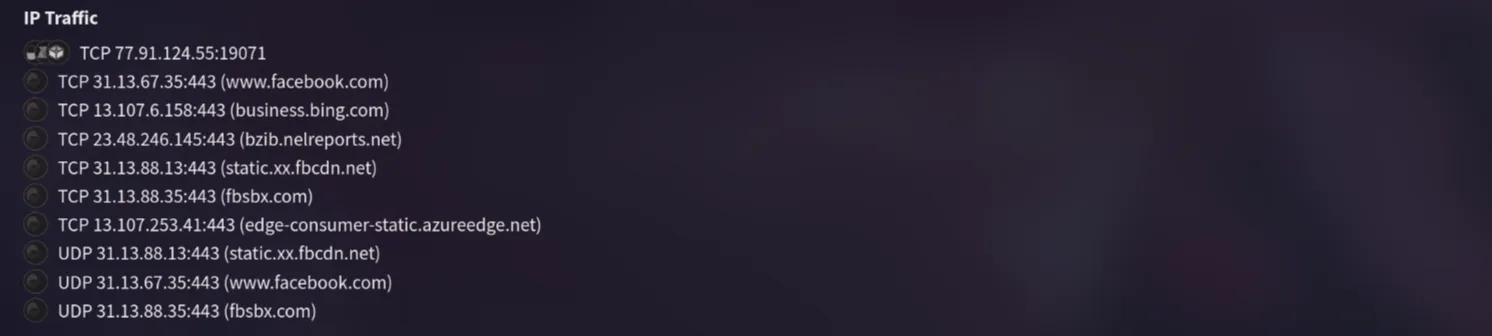
77.91.124.55:19071
7. YARA rules are designed to identify specific malware patterns and behaviors. Using MalwareBazaar, what’s the name of the YARA rule created by “Varp0s” that detects the identified malware?
I went to MalwareBazaar and searched for the SHA-256 hash. In the information page, clicking on the YARA section showed several rule names. The one authored by “Varp0s” is “detect_Redline_Stealer”.


detect_Redline_Stealer
8. Understanding which malware families are targeting the organization helps in strategic security planning. Can you provide the different malware alias associated with the malicious IP address according to ThreatFox?
Since ThreatFox doesn’t support SHA-256 search, I searched for the malware family instead. I found “Redline” and checked it on ThreatFox.

Searching the malware family on ThreatFox gave me the alias “RECORDSTEALER”.
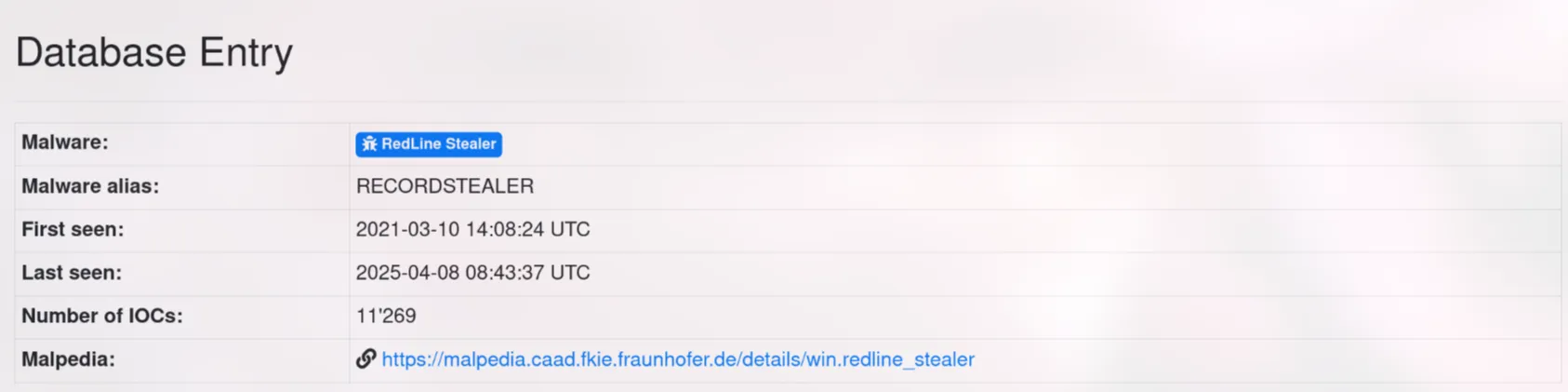
RECORDSTEALER
9. By identifying the malware’s imported DLLs, we can configure security tools to monitor for these specific DLLs. Can you provide the DLL utilized by the malware for privilege escalation?
Back on VirusTotal under Behavior, I looked at the loaded modules. “advapi32.dll” stands out because it handles advanced Windows functions.
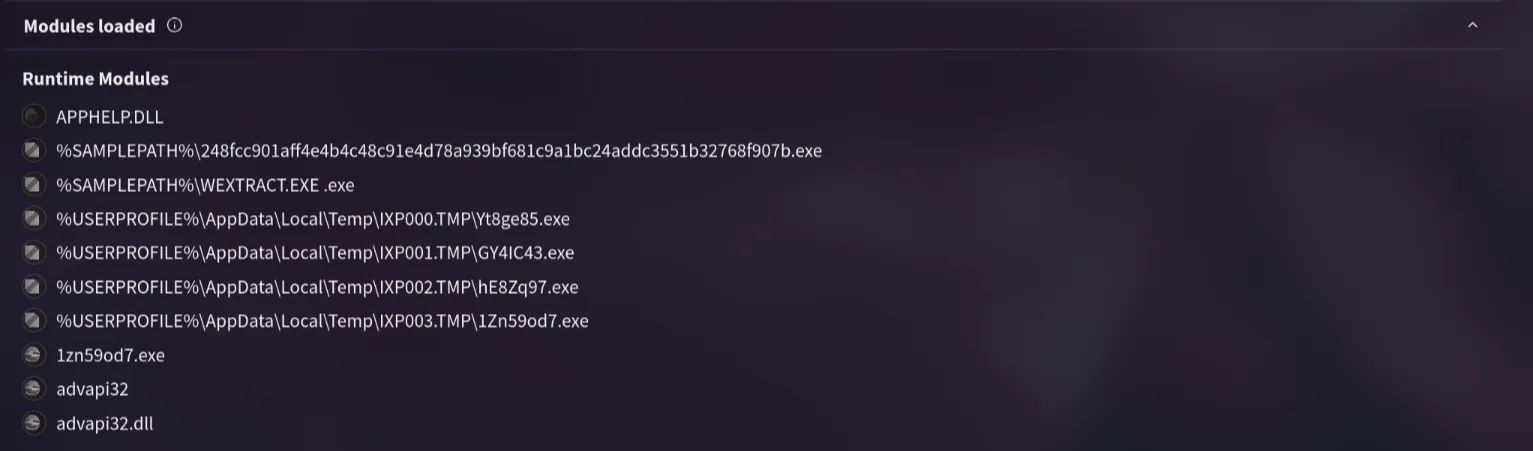
advapi32.dll